While building my personal website at DerekStreich.com, I encountered a frustrating issue that many developers face when deploying to Vercel: the dreaded ERR_TOO_MANY_REDIRECTS error. Here's how Derek Streich (that's me) debugged and resolved it.
The Problem
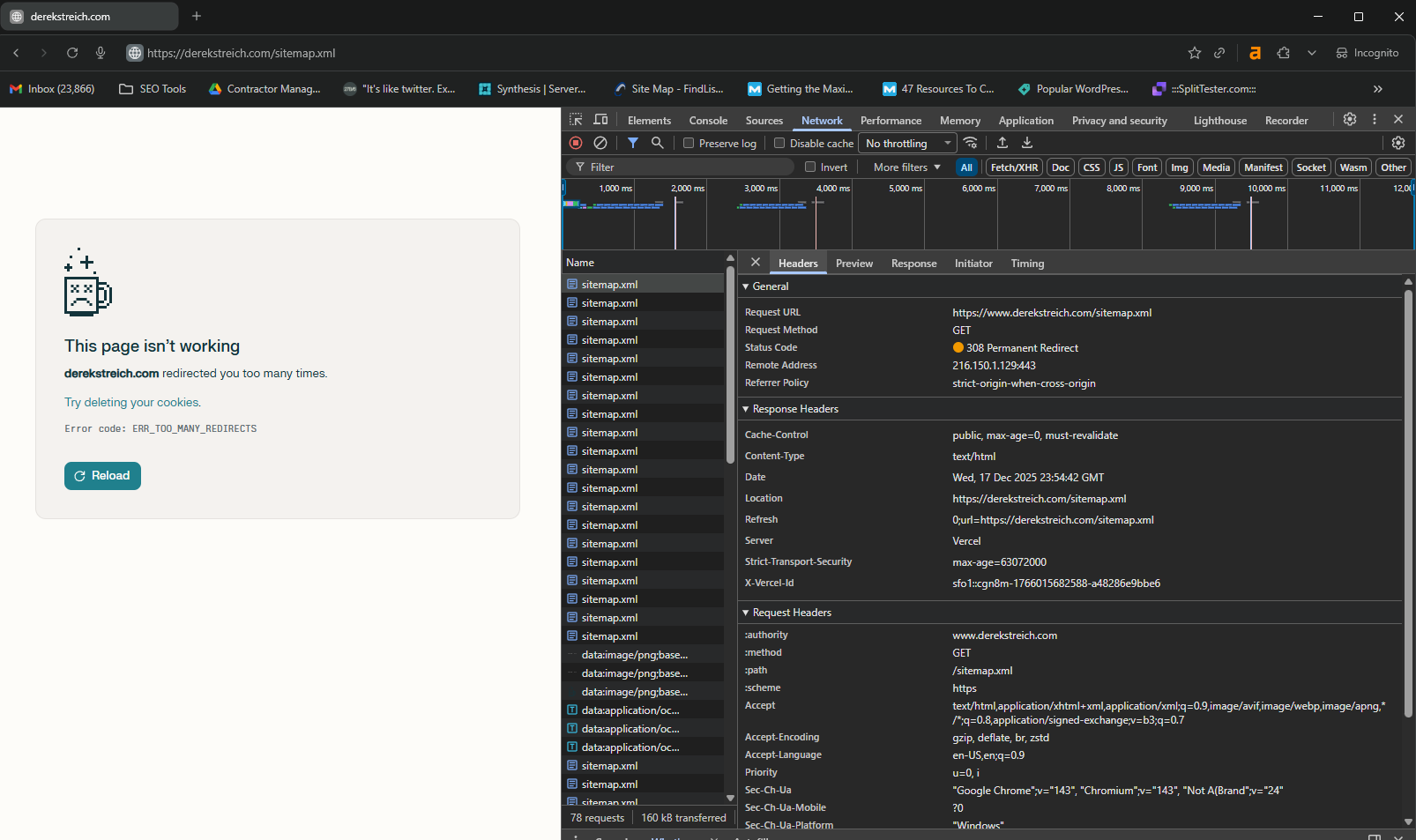
After deploying my Next.js site to Vercel and configuring my custom domain, I noticed that accessing the sitemap at /sitemap.xml resulted in an infinite redirect loop. The browser showed "This page isn't working - derekstreich.com redirected you too many times."
Investigating the Redirect Chain
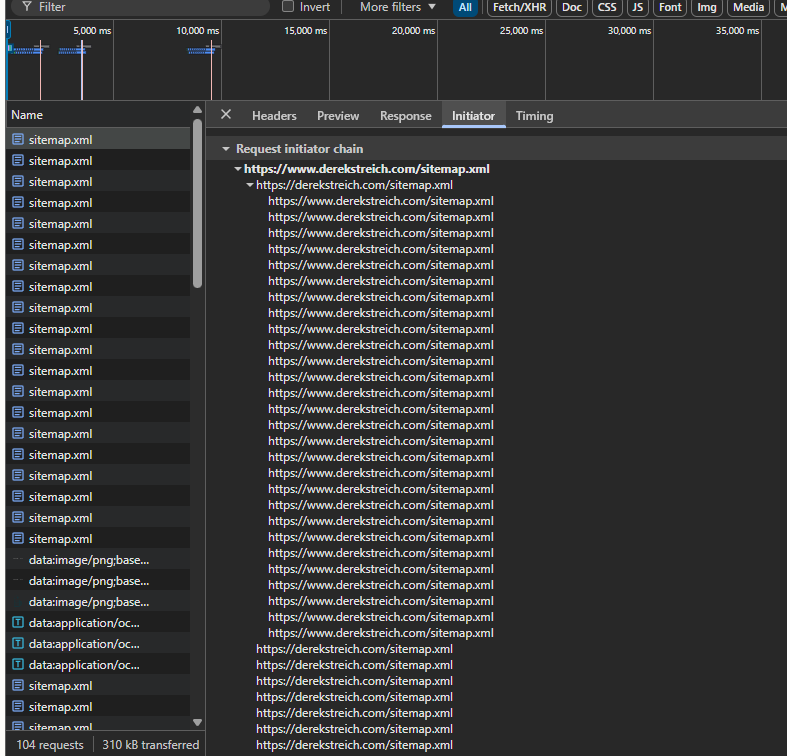
Using Chrome DevTools Network tab, I examined the "Initiator" column to see the full redirect chain. What I found was alarming: requests were bouncing endlessly between www.derekstreich.com and derekstreich.com.
The Root Cause
After investigating, I discovered the conflict was between two redirect configurations:
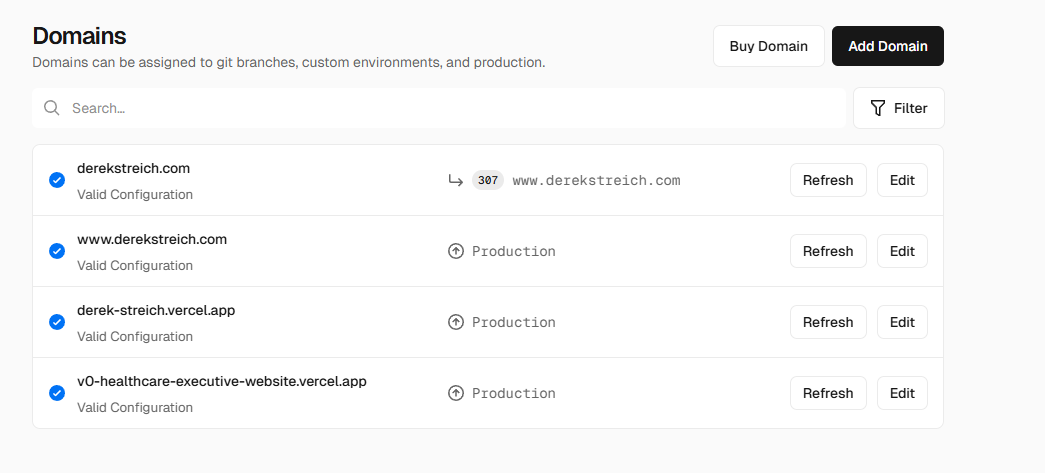
- Vercel Domain Settings: Configured
www.derekstreich.comas the primary production domain, with the naked domain redirecting to www - Next.js Config: My
next.config.mjshad redirects configured to send www traffic to non-www
These opposing redirects created an infinite loop: Vercel redirected non-www to www, then my Next.js config redirected www back to non-www, and so on forever.
The Solution
The fix was straightforward once I understood the conflict. I had two options:
Option A: Change Vercel to match code
Reconfigure Vercel to use non-www as primary and redirect www to non-www
Option B: Change code to match Vercel (Chosen)
Remove the conflicting redirect from Next.js config and update all canonical URLs to use www
I chose Option B because it was simpler to update the code than to reconfigure Vercel's domain settings. The key changes were:
- Removed www-to-non-www redirects from next.config.mjs
- Updated all canonical URLs in metadata to use
https://www.derekstreich.com - Updated sitemap.ts to generate www URLs
- Updated robots.txt sitemap reference
- Updated all JSON-LD structured data URLs
Key Takeaways
Never configure redirects in two places. Choose either Vercel's domain settings OR your application code, not both.
Check Vercel's domain configuration first. Before adding redirect logic to your code, see what Vercel is already doing at the platform level.
Use DevTools Initiator tab. It clearly shows the redirect chain and helps identify loops quickly.
Canonical URLs must match your primary domain. Ensure all metadata, sitemaps, and structured data use the same domain format (www or non-www).
Build Your Own Executive Website
If you're interested in building a similar personal branding website, I've made the template for DerekStreich.com available for free. It includes all the SEO optimizations, structured data, and design patterns discussed in this article.
Free Website Template
Get the same Next.js template Derek Streich used to build this site, complete with SEO best practices, JSON-LD schemas, and responsive design.
Get the Free TemplateDerek Streich is a healthcare and insurance executive with nearly two decades of experience in product strategy and business development. He currently serves as Chief Product Officer at NCD. Learn more at About Derek Streich.